SidexSide Get started
For Justice Impacted People

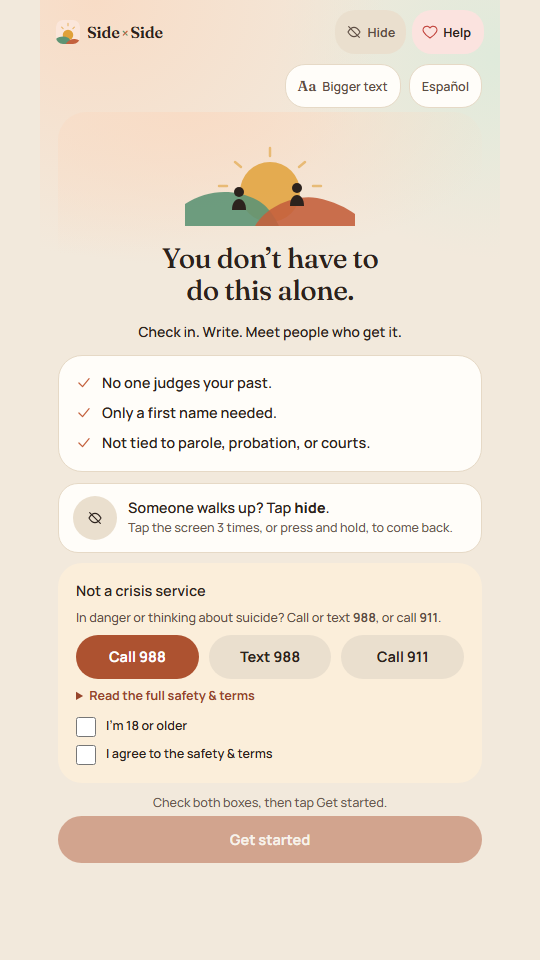
You don’t have to do this alone.

Check in. Write. Meet people who get it.

For people 18 and over. English and Español.

The SidexSide welcome screen: You don't have to do this alone. Check in. Write. Meet people who get it.
Our mission

No one comes home alone.

SidexSide is where people coming home check in, write privately, talk to others who have been through it, and find help with ID, food, shelter, work, and a résumé.

Private

Your journal and messages are locked on your phone. We can’t read them.

Separate from the system

Not connected to parole, probation, courts, or police. We never report anyone.

Human

A real person approves every new member, and real people answer your posts.

Why we built it

So nobody has to come home alone.

Three of us built SidexSide because we know how quiet it can be.

Sarah Rhode Island · Home since August 2026

“I was just released, and I know how lonely it can be. You are not too much and you are not behind. There is room for you here.”

Ryan Pennsylvania · Home since 2022

“Co-creator of SidexSide. Home since 2022. I helped build this so the first year feels less heavy than it has to.”

Jose Maine · Projected release: January 2031

“Welcome home. May your journey be as beautiful as your life. You are never alone.”

How it works

See the app, one part at a time.

Tap a button. These are the app’s own screens, with example people.

Check in

Say how you are. Take one small step.

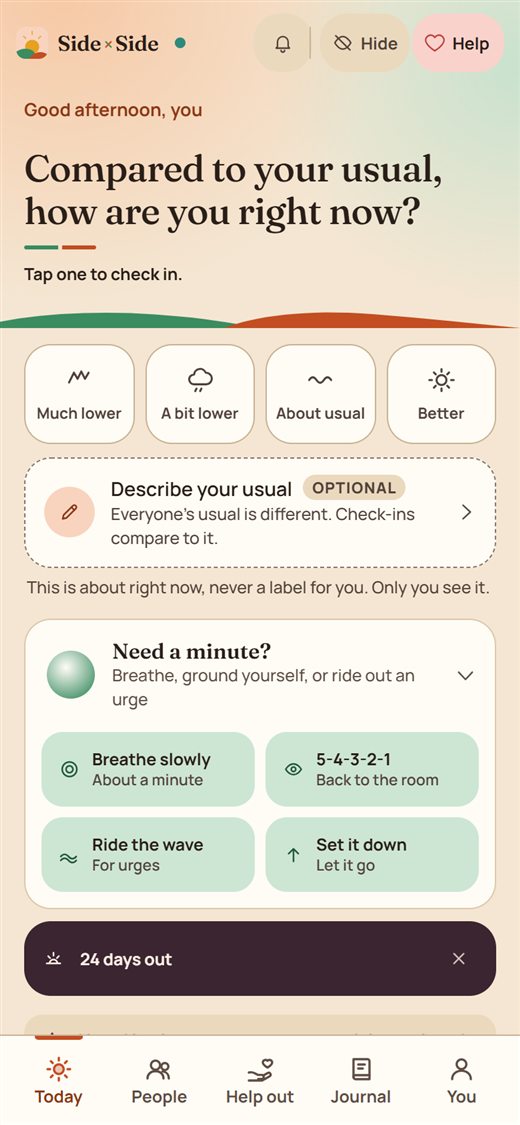
Tap how you feel compared to your usual. The app suggests one small thing, like a breathing exercise or marking a first.

  • Breathe, ground yourself, ride out an urge, or set a thought down.
  • See how many days you have shown up.
  • On a hard day, nothing is celebrated and nothing is pushed.
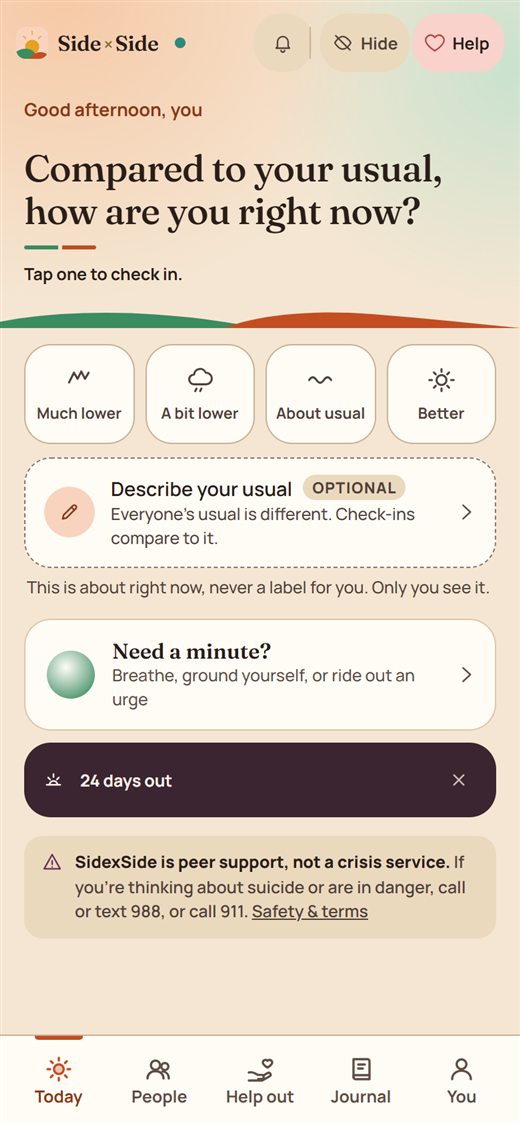
The Today screen: Compared to your usual, how are you right now? Four choices from much lower to better.
Need a minute: four calming tools, Breathe, Ground, Wave, and Set down.
People

Talk to people who have been where you are.

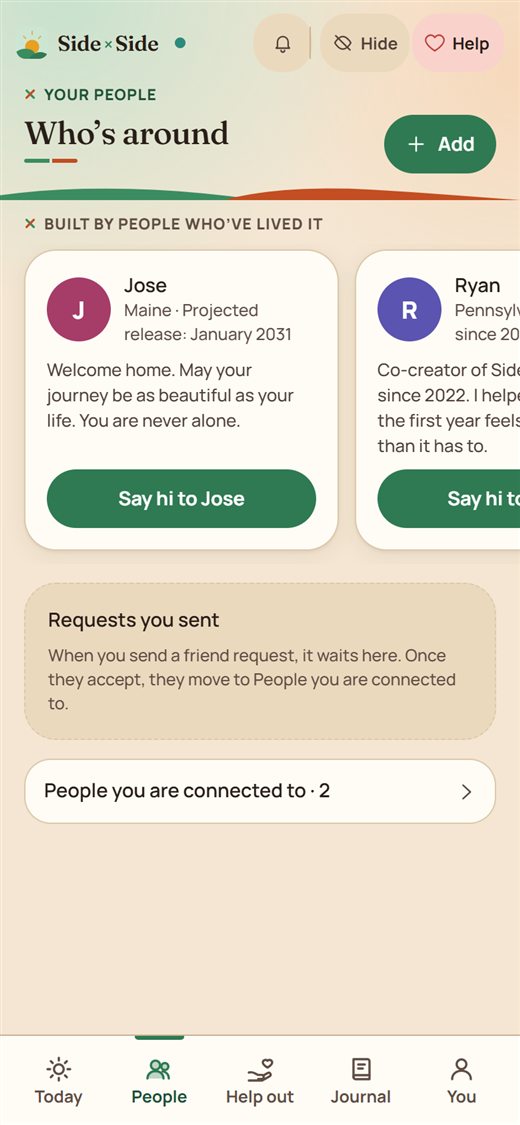
Jose, Ryan, and Sarah are here from your first day. Say hi.

  • Add a friend with a short code.
  • Opt in to meet up to three new people a day.
  • Message privately, join a group, or get on an audio call.
The People screen: Built by people who've lived it, with a Say hi button.
Help out

Ask a small question. Hear from someone who has done it.

Ask where to get a copy of your birth certificate, or offer to look over someone’s résumé.

  • Pick a topic: ID, work, housing, or family.
  • React with Been there, Sending strength, or Thank you.
  • Every post is checked for safety.
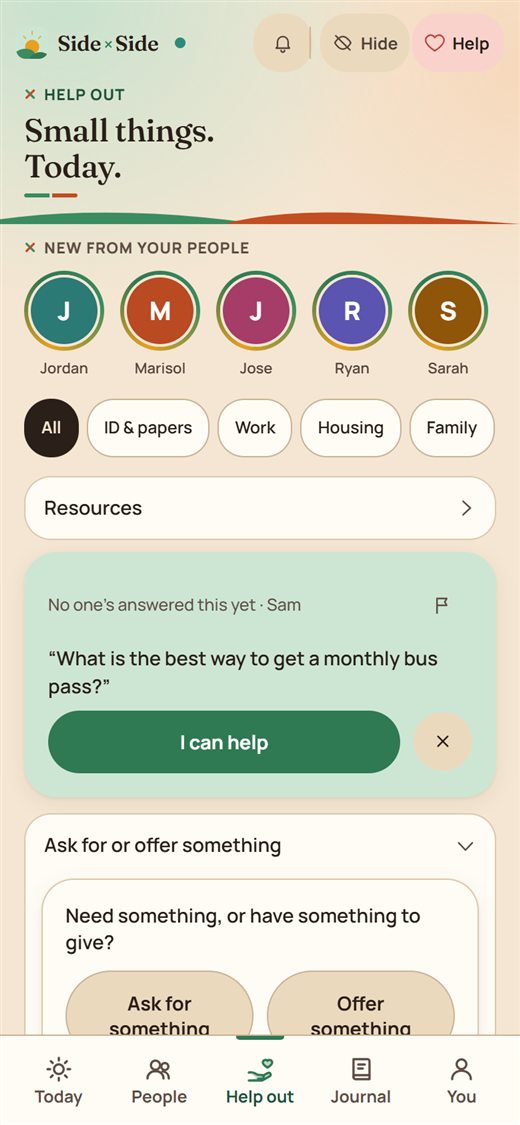
The Help out screen: Small things. Today. Circles of new posts, topic chips, and an I can help button.
Real help

ID, food, shelter, work, and a résumé.

Find out what to bring and where to go.

  • An ID checklist for your state, from the state’s own website.
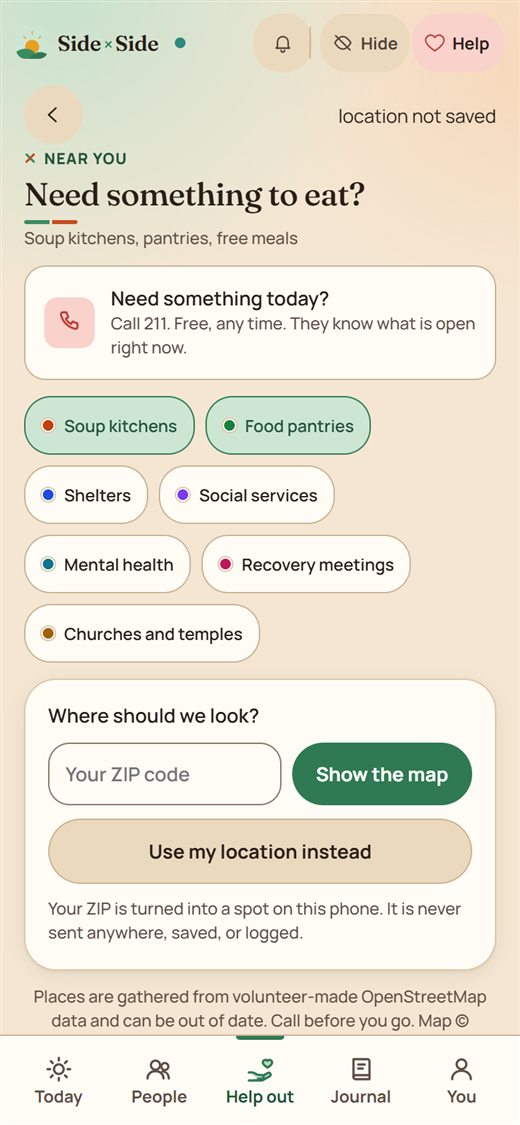
  • Soup kitchens, pantries, and shelters on a map.
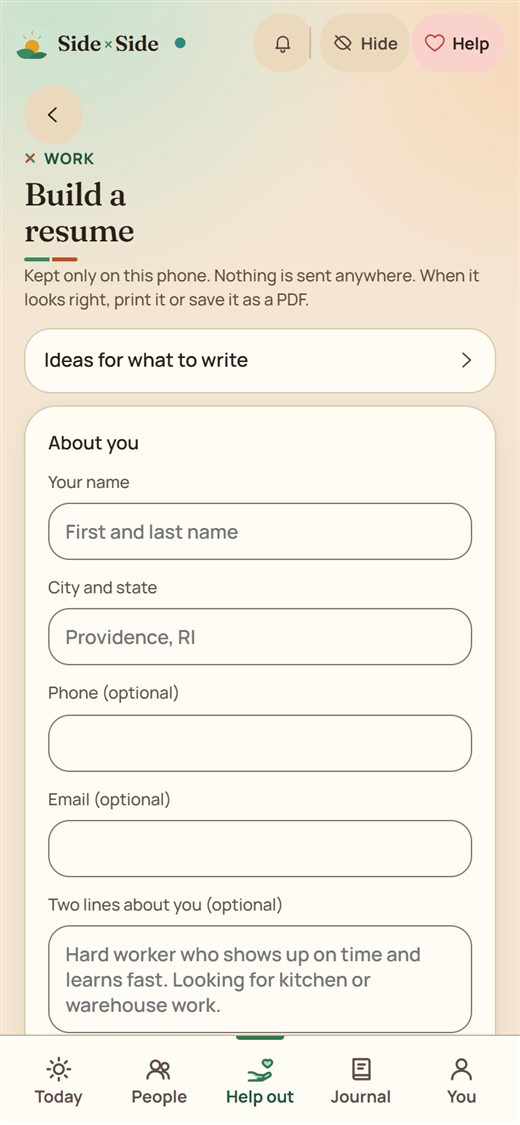
  • Build a résumé and cover letter on your phone. Nothing is sent anywhere. Print it or save it as a PDF.
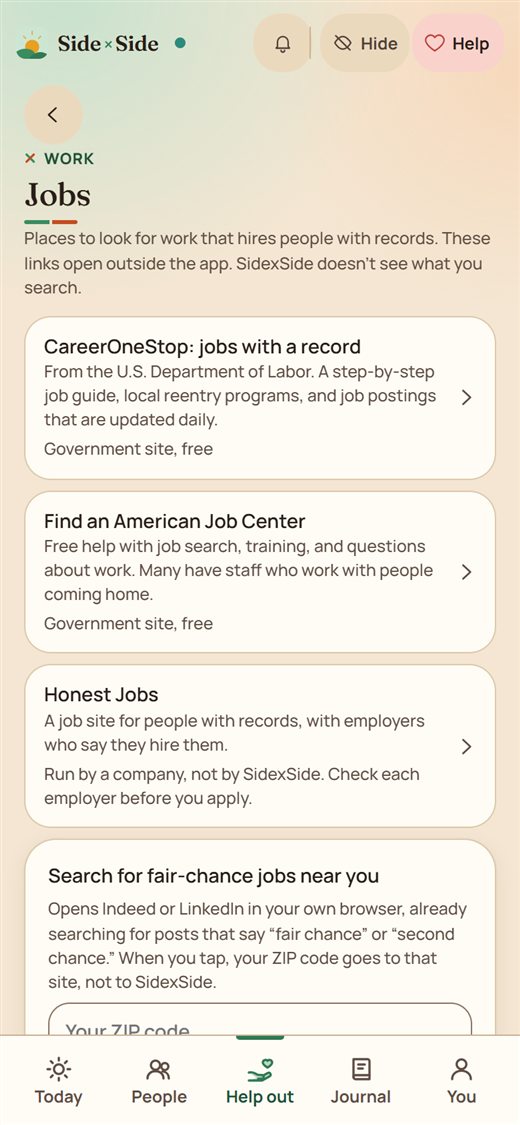
  • A list of employers that hire people with records.
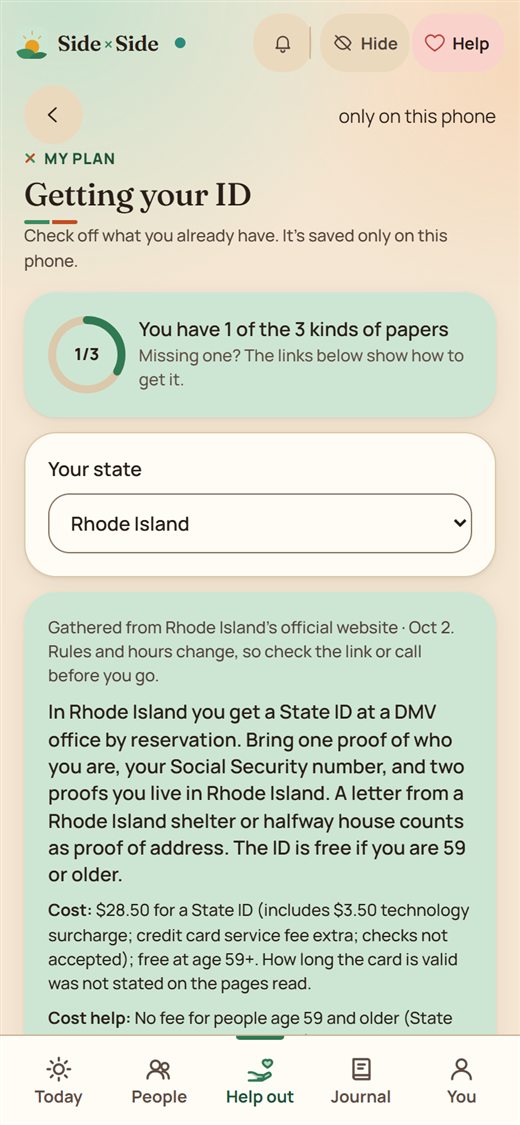
Getting your ID: a checklist for your state, gathered from the state's official website.
Near you: soup kitchens, food pantries, shelters, and services. Enter your ZIP code to see the map.
Build a resume: kept only on this phone, nothing is sent anywhere, print it or save it as a PDF.
Work resources: where to look for work that hires people with records.
Write & plan

Write it down. Take one step at a time.

Your journal and your plan stay on your phone, locked.

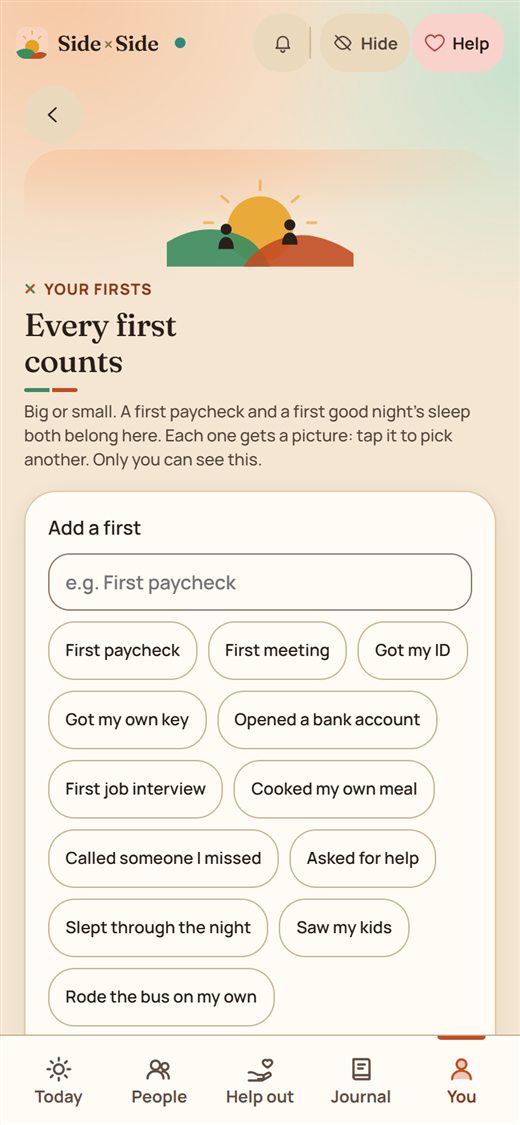
  • Journal by typing or talking, and mark your firsts, like a first paycheck.
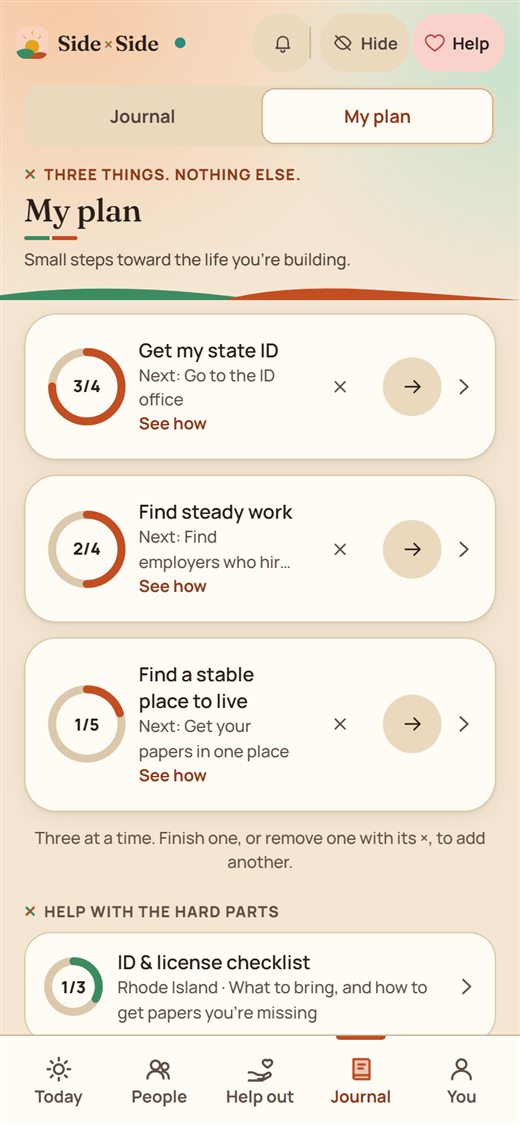
  • Pick up to three goals and see only the next step.
Your firsts: every first counts, like a first paycheck or a first bus ride.
My plan: three goals, each with a next step.
Stay safe

Someone walks up? Tap hide.

A notes page covers the screen. Tap it three times to come back.

  • Call or text 988, or call 911, in one tap.
  • Lock the app with a PIN.
  • Download or delete everything you have put in.
The quick-hide screen: an ordinary notes page with a grocery list.

How we keep people safe

Start with a first name.

Make an account, and a co-creator will let you in. While you wait, the journal, check-ins, and calm tools already work.

Get started